Before you start, try using this visualizer to understand how a stack works.
stack — LIFO
size: 3choose an operation ↓
void push(int x) { top++; arr[top] = x;}Now let us learn in detail what a stack is.
What is a Stack?
Imagine there is a stack of plates in your kitchen. Every time you wash a plate, you place it on top of the stack.
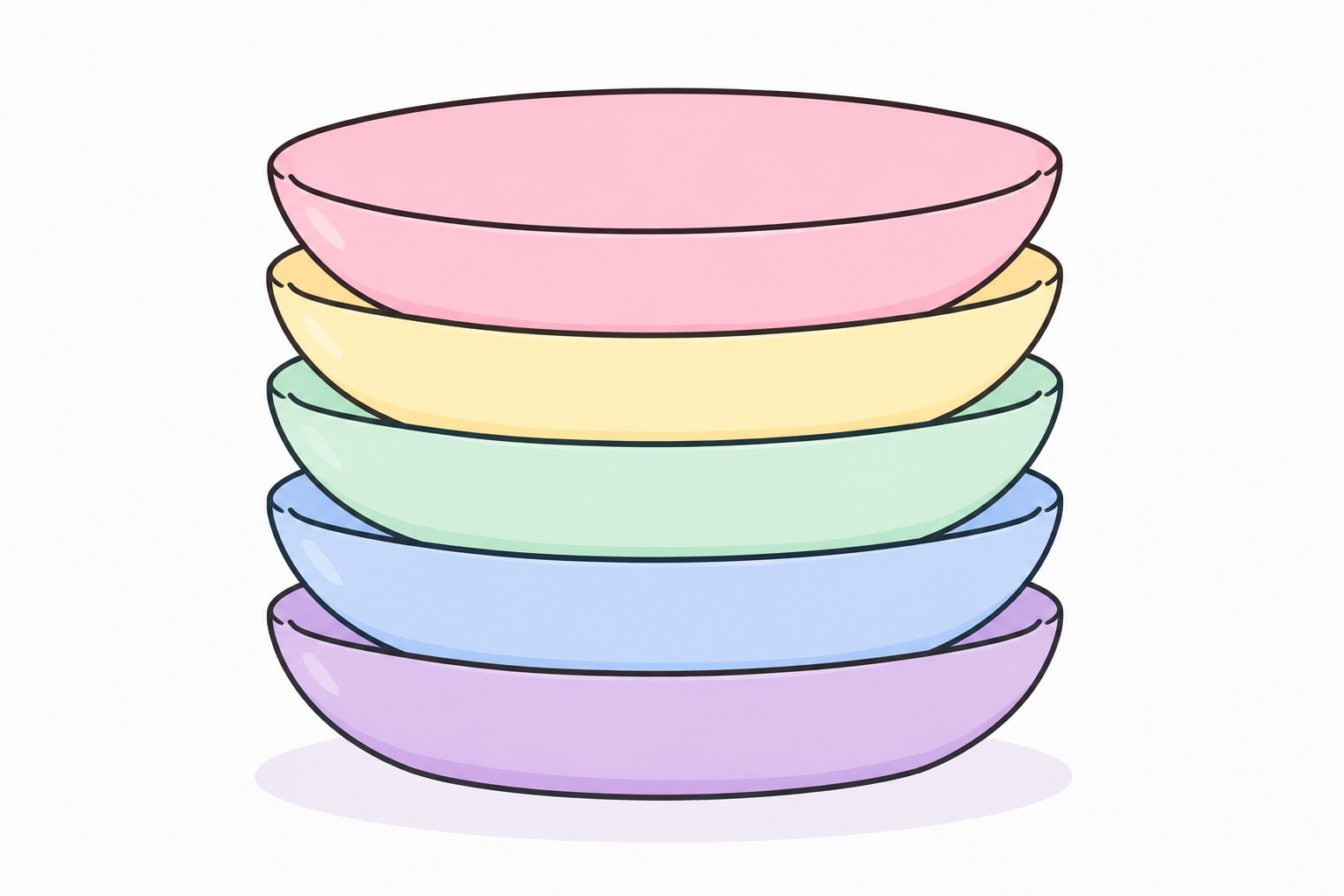
Now someone asks you for a plate. Which plate do you give them?
The plate on the very top.
A little later, someone asks for another plate. Again, you give them the new top plate.
Now imagine someone says, "Can I have the blue plate?"
Can you take it out directly?
No. There are other plates sitting on top of it. First, you need to remove all the plates above it. Only then can you reach the blue plate.
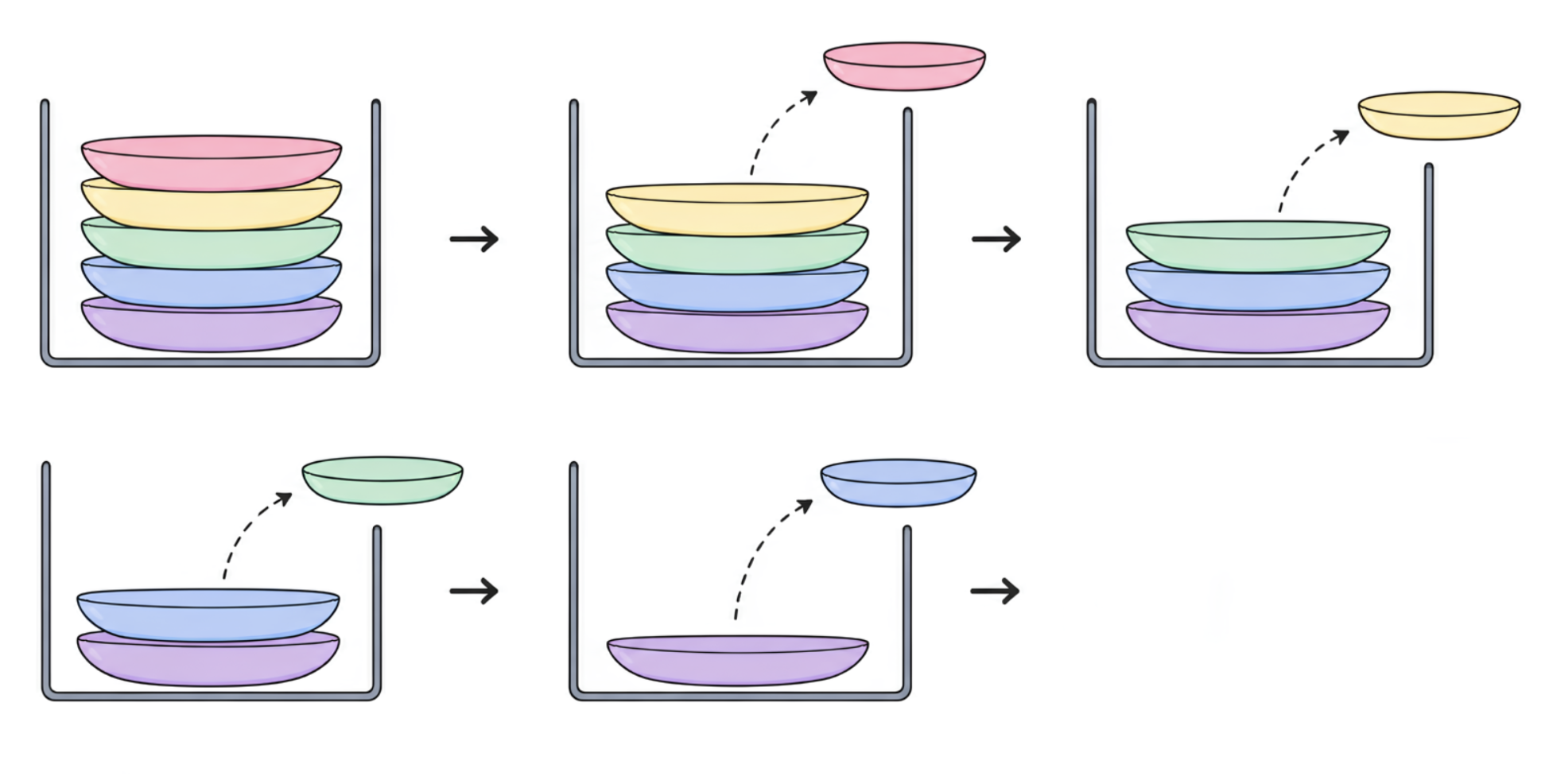
A stack works exactly the same way. You can only add or remove elements from the top.
That is why a stack follows the Last In, First Out (LIFO) rule. The last element added to the stack is always the first one to come out.
Why can we only use the top?
You might be wondering why we cannot remove an element from the middle.
Think about the stack of plates again. If you try to pull out a plate from the middle, every plate above it would fall.
That is why we always remove the top plate first.
The same rule applies to a stack. Every element below the top is blocked by the elements above it. That is why every operation happens from the top.
top.
Now that you know what a stack is, let us learn the operations we can perform on it.
- Push
- Pop
- Peek
- Is Empty
- Size
Do not worry. We will learn each one step by step.
How to create a Stack
Give this visualizer a try before reading.
stack — LIFO
size: 3choose an operation ↓
void push(int x) { top++; arr[top] = x;}Before we can perform any operations, we first need to create a stack.
In C++, we can create one like this.
stack<int> st;stack<int> creates a stack that stores integers.
If you want to store strings, you would write:
stack<string> st;If you want to store characters, you would write:
stack<char> st;The type inside the angle brackets tells C++ what kind of data the stack will store.
st is simply the name of our stack. You can name it anything you like.
Right now our stack is empty.
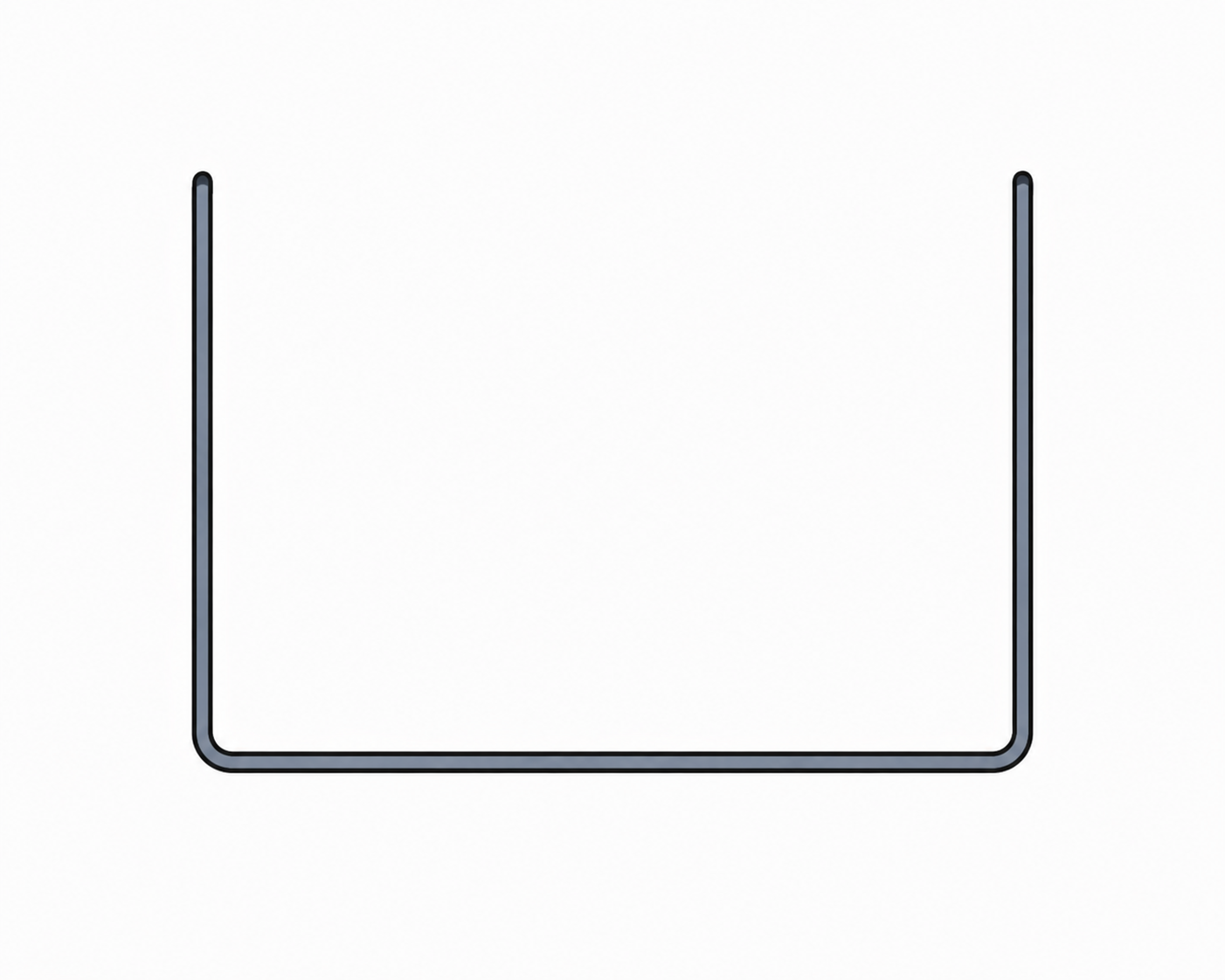
Now let us add our first element using the Push operation.
Push
Before we start, try this visualizer to see how Push works.
stack — LIFO
size: 3push(x)
void push(int x) { top++; arr[top] = x;}To add an element to a stack, we use the push() function.
st.push(10);This adds 10 to the top of the stack.
Since our stack was empty, 10 becomes the first element.
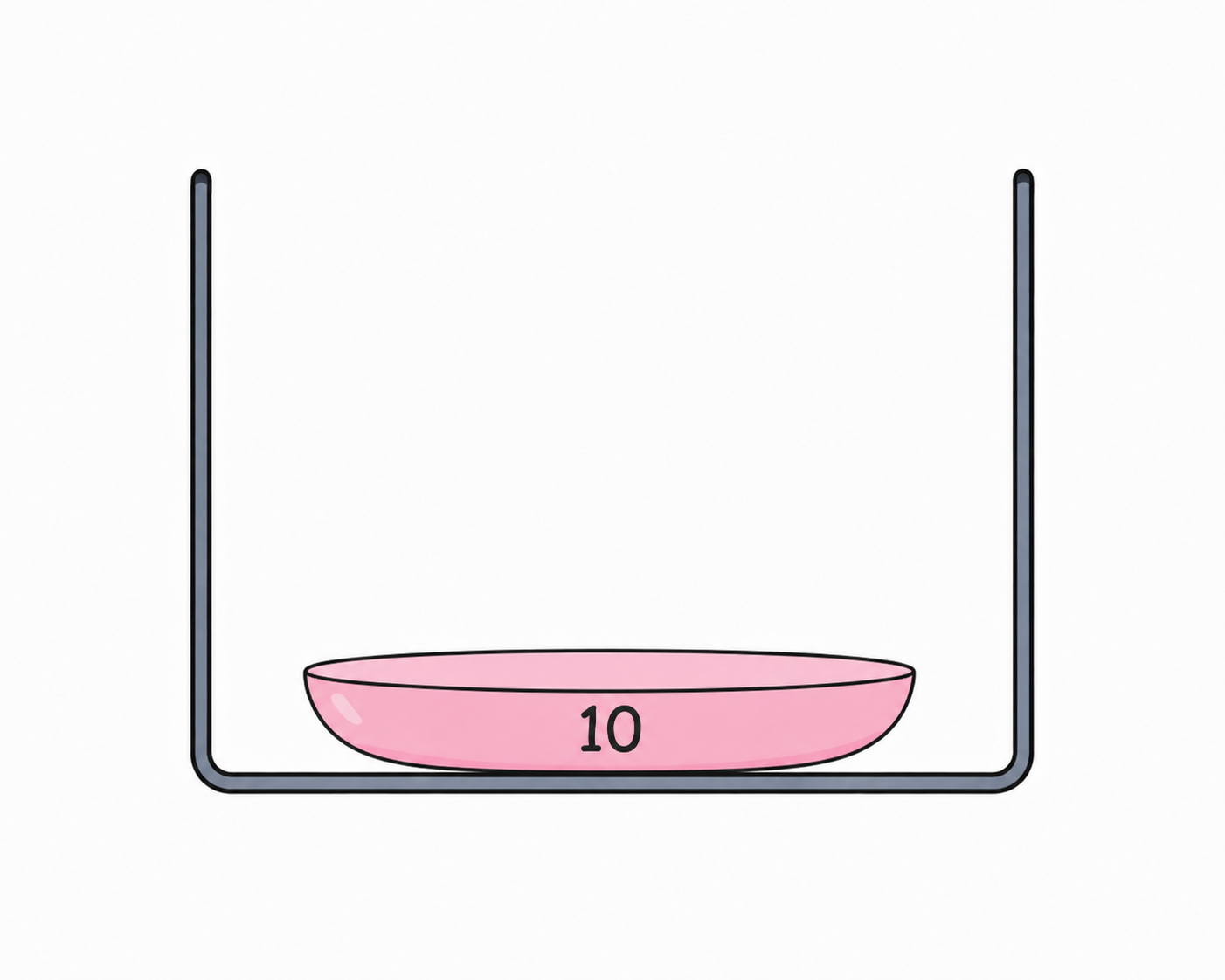
Now let us add a few more elements.
st.push(20);
st.push(30);
st.push(40);
Each time we call push(), the new element is placed on the top of the stack.
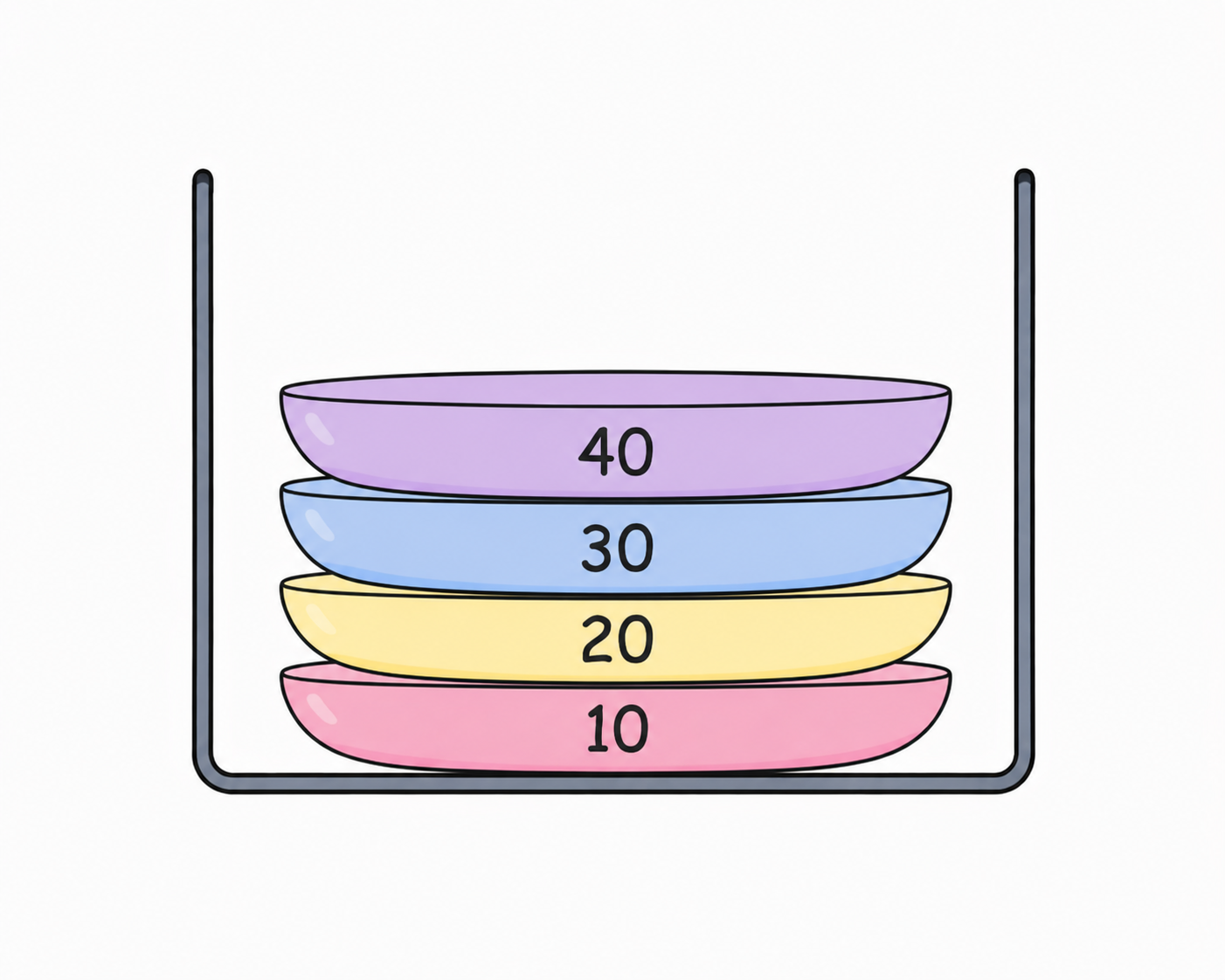
Now let us push one more element.
st.push(50);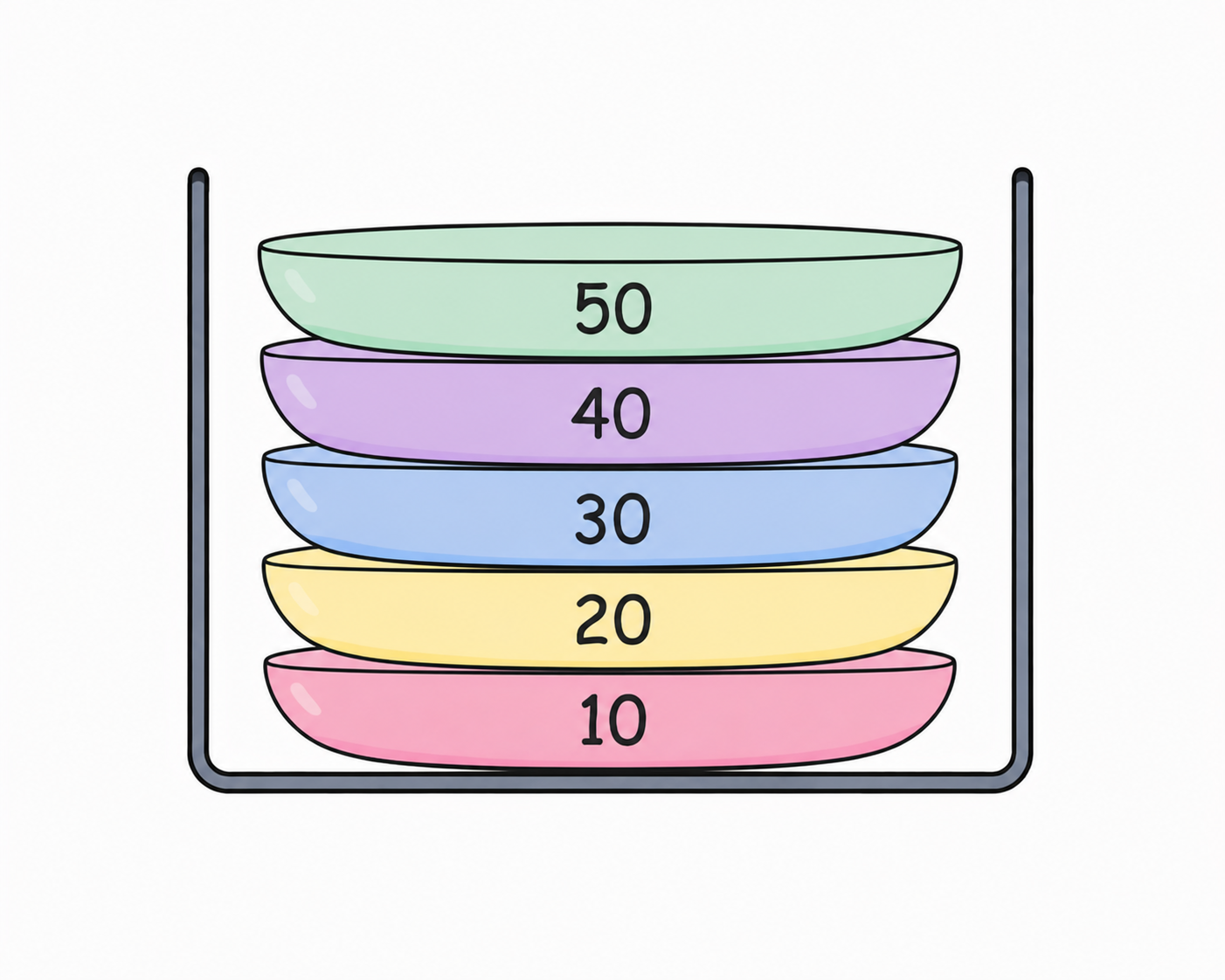
Notice that every new element is always added to the top of the stack.
O(1).
Now our stack has a few elements. Let us see how to remove one.
Pop
Before we start, try this visualizer to see how the Pop operation works.
stack — LIFO
size: 3pop()
void pop() { if (top == -1) return; top--;}To remove an element from a stack, we use the pop() function.
Suppose our stack looks like this.
Top
50
40
30
20
10
We can remove the top element by writing:
st.pop();This removes the top element from the stack.
In this case, 50 is removed because it is on the top.
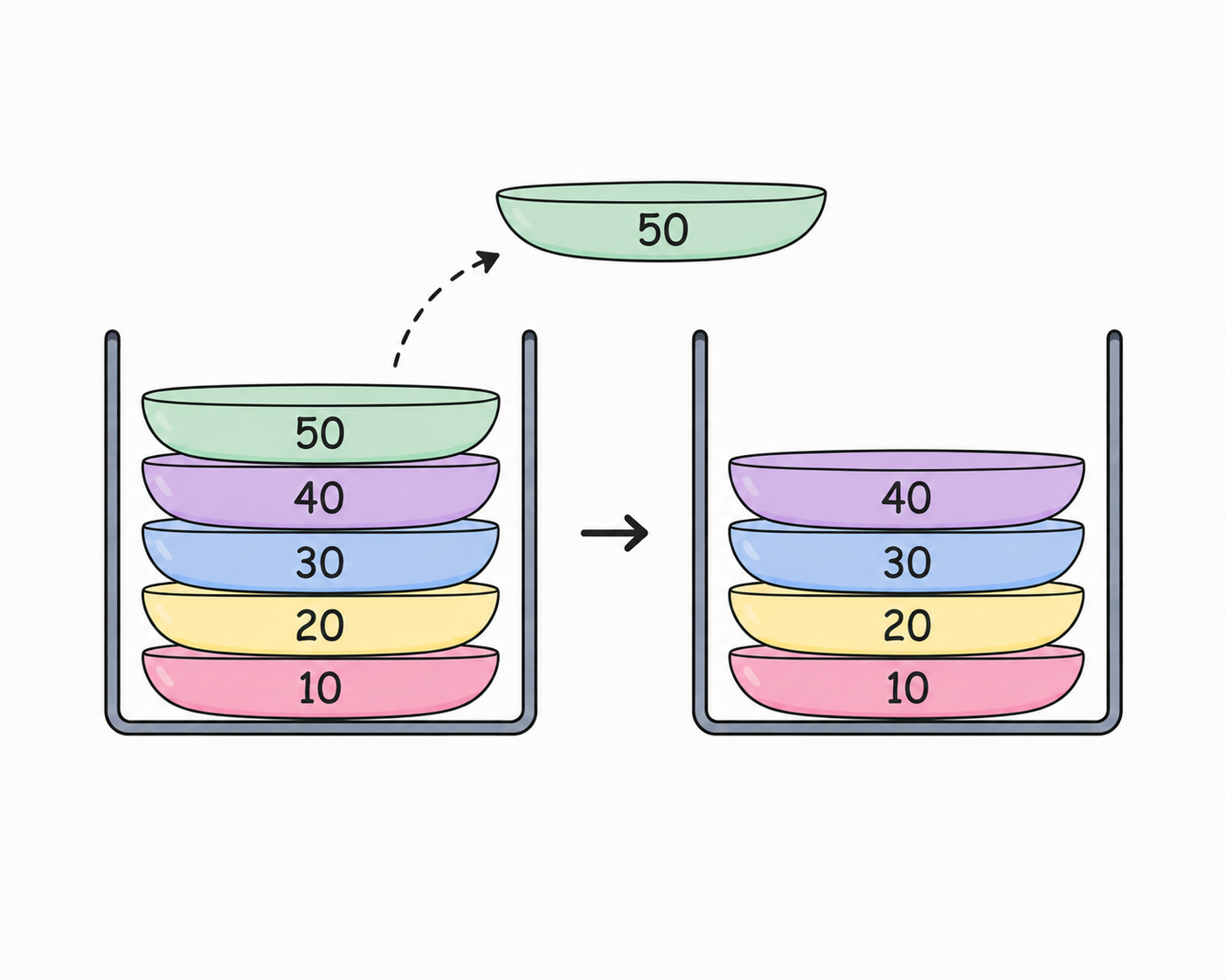
Our stack now looks like this.
Top
40
30
20
10
Notice that pop() always removes the top element.
We cannot remove an element from the middle or the bottom of the stack.
O(1).
Now that we know how to remove elements, let us learn how to view the top element without removing it.
Peek
Before we start, try this visualizer to see how the Peek operation works.
stack — LIFO
size: 3peek()
int peek() { if (top == -1) return -1; return arr[top];}Sometimes we only want to see the top element without removing it.
For that, we use the top() function.
st.top();Suppose our stack looks like this.
Top
40
30
20
10
Calling st.top() returns 40 because it is the top element.
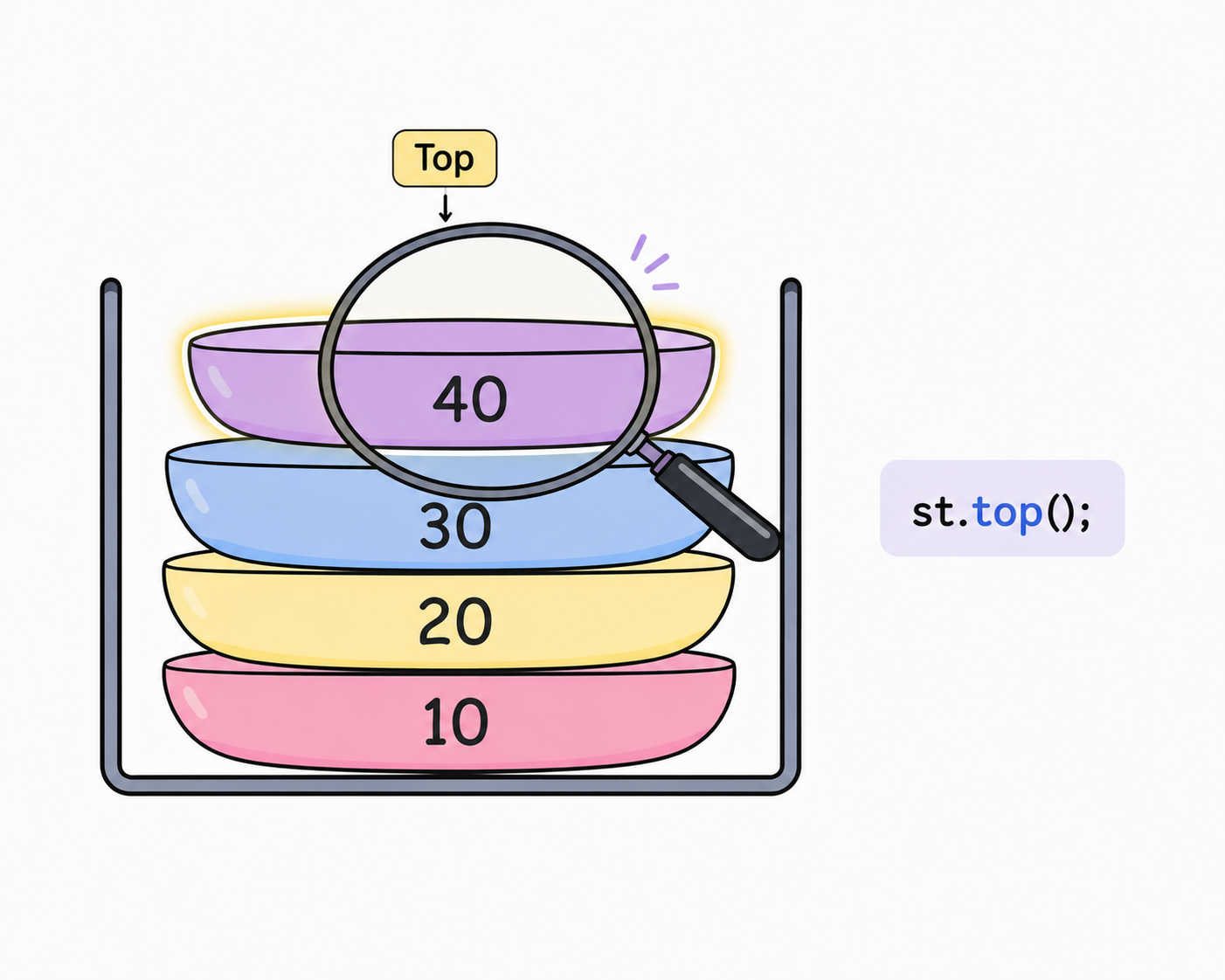
Notice that nothing is removed.
Our stack still looks exactly the same.
O(1).
Now let us learn how to check whether our stack is empty.
Is Empty
Before we start, try this visualizer to see how the Is Empty operation works.
stack — LIFO
size: 0pop()
void pop() { if (top == -1) return; top--;}Imagine you have removed every element from the stack.
How do you know if the stack is empty?
To check this, we use the empty() function.
st.empty();If the stack is empty, it returns true.
Otherwise, it returns false.
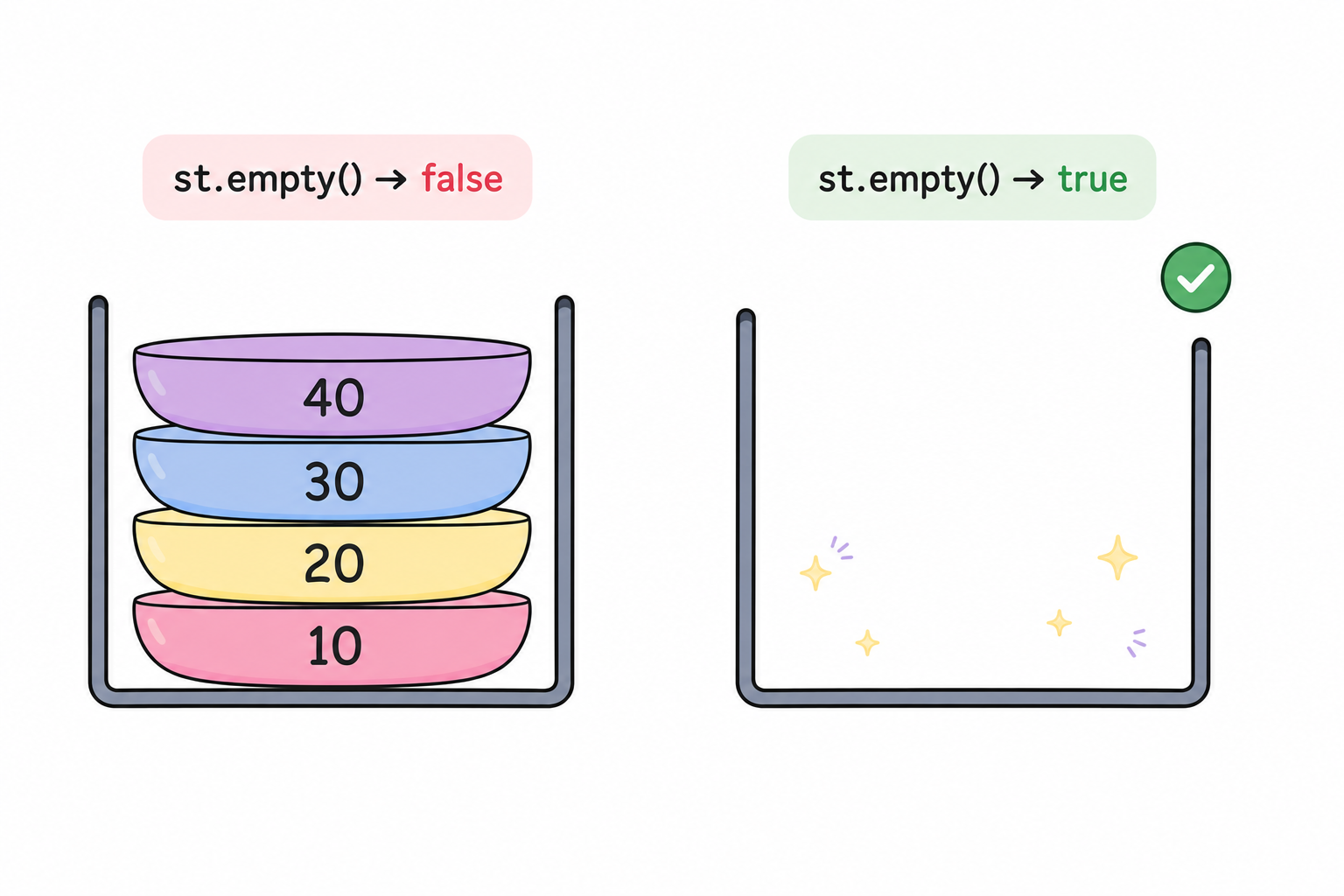
O(1).
Now let us learn how to find the number of elements currently stored in the stack.
Size
Sometimes we want to know how many elements are currently stored in the stack.
To find this, we use the size() function.
st.size();Suppose our stack looks like this.
Top
40
30
20
10
Calling st.size() returns 4 because there are four elements in the stack.
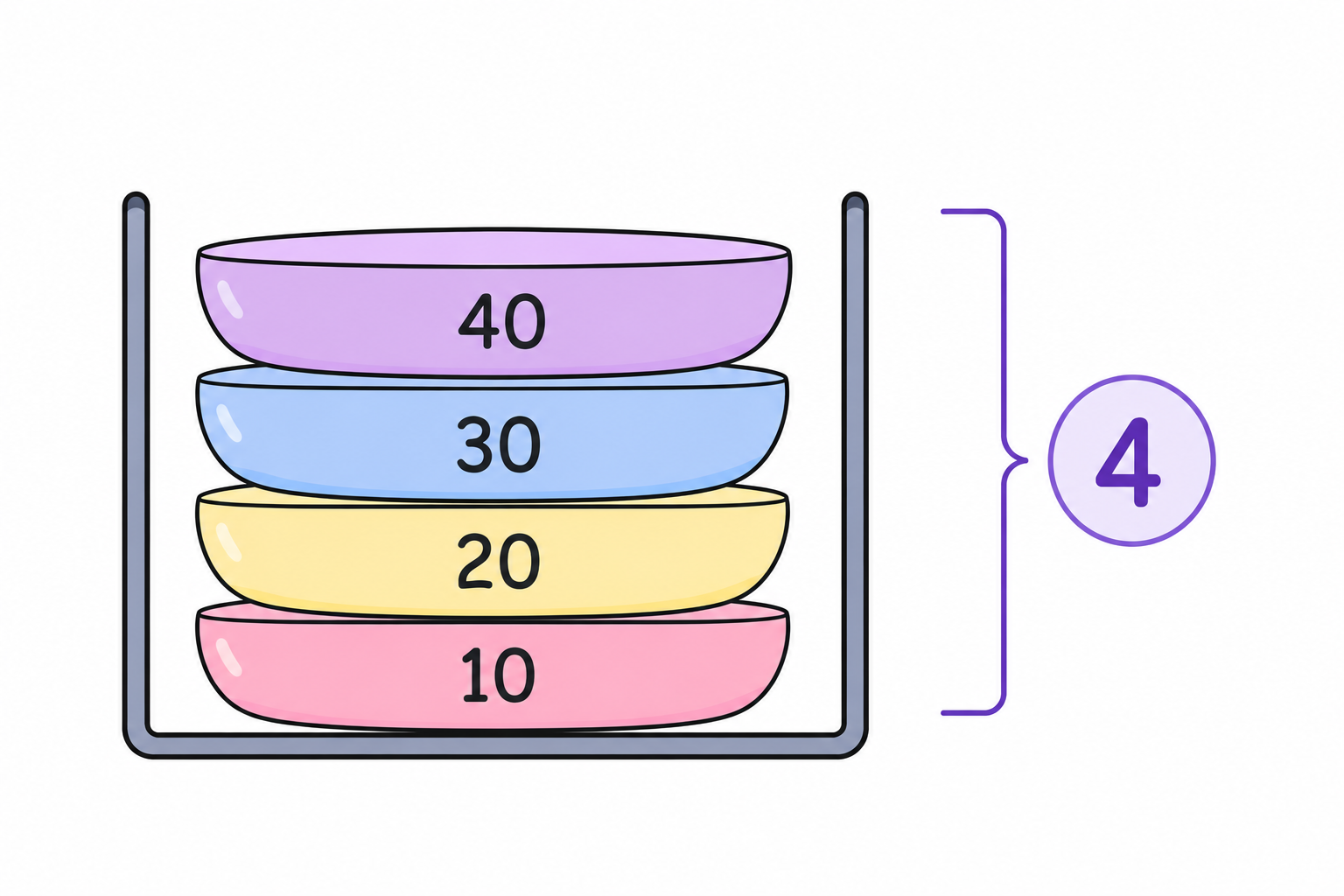
O(1).
Complete Stack Code
#include <iostream>
#include <stack>
using namespace std;

int main() {

    stack<int> st;

    st.push(10);
    st.push(20);
    st.push(30);
    st.push(40);

    cout << "Top element: " << st.top() << "\n";

    st.pop();

    cout << "Top after pop: " << st.top() << "\n";

    cout << "Size: " << st.size() << "\n";

    if (st.empty()) {
        cout << "Stack is empty\n";
    } else {
        cout << "Stack is not empty\n";
    }

    return 0;
}pop() only removes the top element. It does not return it. If you want to use the value before removing it, first call top(), then call pop().
O(1) time. Because stacks follow the Last In, First Out (LIFO) rule, they are perfect for problems like Undo, browser history, function calls, and matching brackets.
Where are Stacks used?
You might be wondering...
Where are stacks actually used?
Stacks are used in many applications that you use every day. Even if you have never written a program before, you have probably used stacks without realizing it.
Undo
Think about Microsoft Word, Canva, or Photoshop.
Every time you make a change, the application remembers it.
When you press Undo, it removes the most recent change first.
That is exactly how a stack works. The last action you perform is the first action that gets undone.
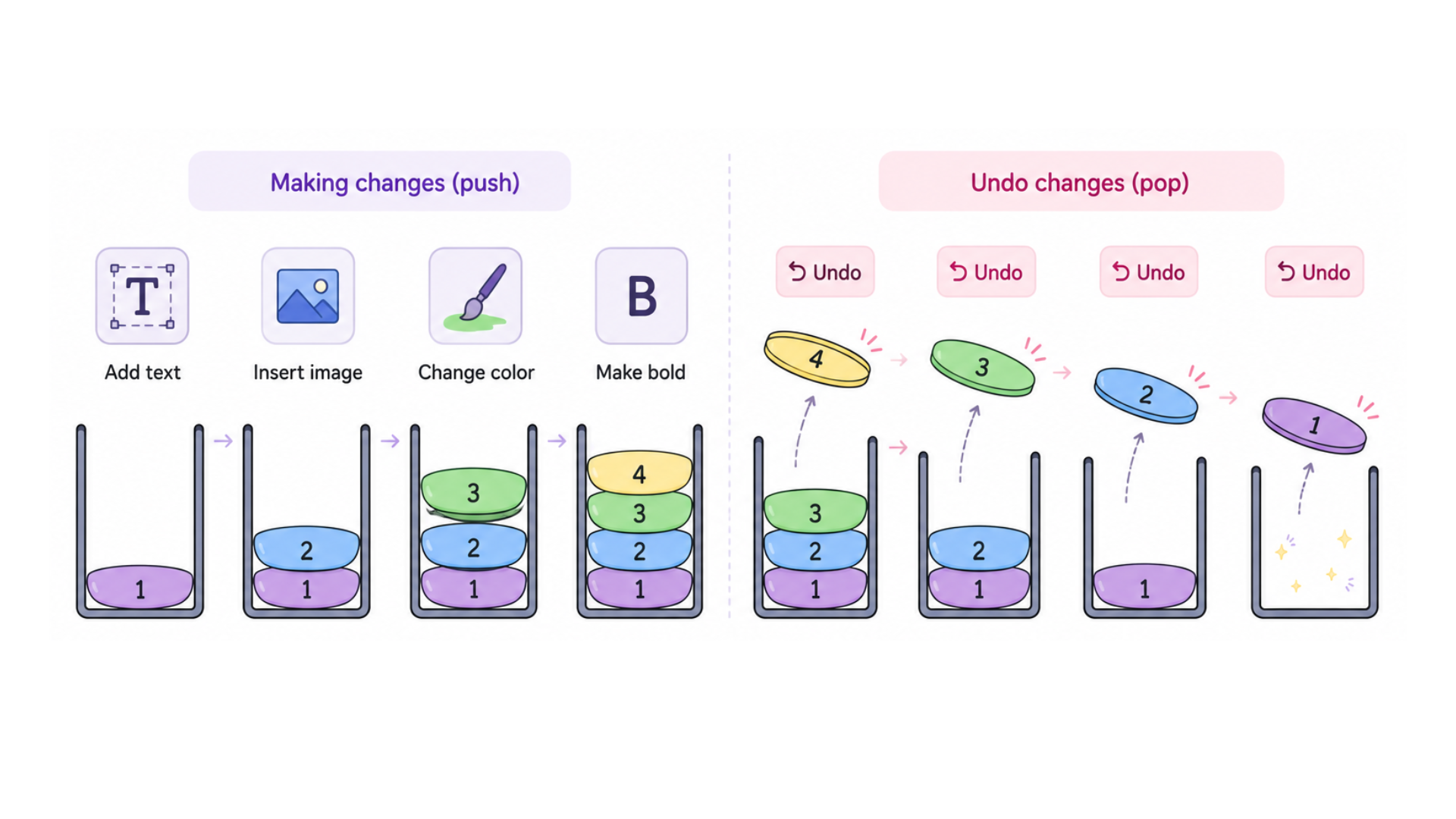
Browser Back Button
Imagine you visit these pages.
Google
↓
YouTube
↓
Wikipedia
When you press the Back button, which page do you return to?
You return to YouTube because it was the last page you visited.
If you press Back again, you return to Google.
The browser stores your history using a stack.
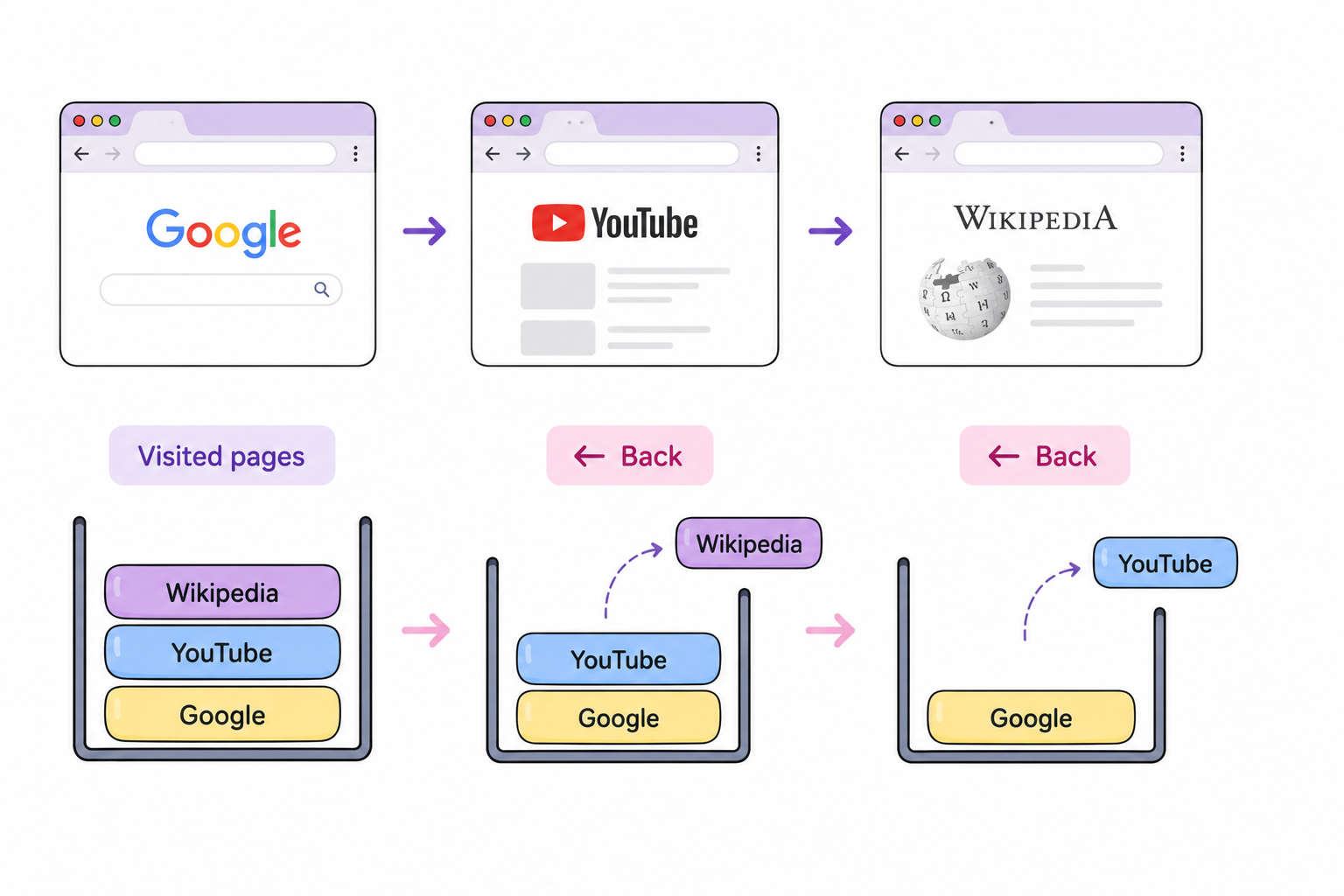
Function Calls
Whenever one function calls another function, the computer remembers where it needs to return after the function finishes.
It does this using a stack.
The most recently called function always finishes first before returning to the previous function.
Matching Brackets
Stacks are also used to check whether brackets are balanced.
( ) { } [ ]Every opening bracket is pushed onto the stack.
Whenever we find a closing bracket, we compare it with the opening bracket on the top of the stack.
If they match, we remove it from the stack and continue.
Great! Now that you understand stacks, it's time to learn about queues.